Author Archives: admin

Ashampoo WinOptimizer Review

Ashampoo WinOptimizer is my first choice and its our best registry repair and cleaner software, WinOptimizer combines clean, repair and optimization tools with advanced features to speed up and improve the stability of your Windows.

Overview

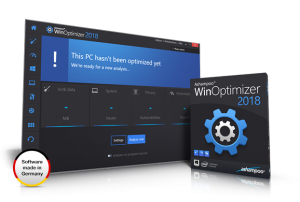
The user interface is quite friendly. In the Overview section, you can take a look at details of the system, maintenance (auto-start entries, services, unnecessary objects – fixing them is done is a single click), hibernation files, old update backups, but you can also use tuning assistant (it searches for optimization options for your system, based on your preferences) and activate Live-Tuner (so you can monitor CPU and RAM usage).

Pros

With a single click, WinOptimizer’s feature called One Click Optimizer can search your computer for unneeded items, security issues and optimizations that can be made, and then proceed to fix them.

Live Tuner is a basic feature of WinOptimizer since it can boost any running application’s speed. It works in the background and does everything automatically (although you can change its settings from the options menu).

The program can analyze your system and give you detailed information about it, as well as make benchmark tests (and compare results online), view disk space usage, detect issues with your hard disks and let you manage installed fonts.

The file tools included in the toolset give you the power to completely wipe, encrypt, decrypt, split, join and undelete files. In addition, it can also find and remove any existing duplicate files from your computer.

Customizing Windows is possible too, with the help of the several tools included in WinOptimizer such as File Associator, Context Menu Manager, Icon Saver and User-Rights Manager.

Game Booster is a really useful feature for gamers, since it ends all unnecessary Windows processes to free memory and reduce CPU load.

The developers of WinOptimizer have improved the algorithms used in the program and now it is not only faster, but lighter too.

Cons

If you want to use WinOptimizer to its full scale, then you’ll have to spend some time and get familiar with it first.

Conclusions

Ashampoo WinOptimizer is hands down an excellent program and I can feel safe recommending it. As with all utilities of this nature, use it wisely. It can be a blessing if you’re careful, and a bust if you’re not.

>> Click here to get promotional price for Ashampoo WinOptimizer

For Mac, go for Mackeeper Premium
>> Read our full review here

Mackeeper Review

MacKeeper is a one-stop shop for optimizing your Apple. It’s an app that automatically cleans your computer, runs anti-virus software, and offers additional services to keep your Mac running efficiently.

At a glance:

Best for all-around protection

  • Cleans out junk files
  • Protects from viruses, phishing scams, malware, and more
  • Encrypts data
  • Acts as anti-theft protection
  • Optimizes memory
  • Offers live customer support

Main Features:

Antivirus

Antivirus is one of many MacKeeper’s features that detects not only Mac OS but also Windows viruses, and this can interest the Parallels Desktop users. A huge advantage of MacKeeper Antivirus is real-time protection of the system from malware, phishing attacks, identity thefts etc, with the daily updated virus database. As this antivirus has the Mac OS-based engine, the real-time protection does not impact your Mac’s performance.

Anti-Theft

MacKeeper’s Anti-Theft service will track your Mac’s location in case it’s stolen and take a pic of the thief using iSight. This pic plus the detailed location report will be emailed to you with instructions on what to do next. You can hand this information to the police when searching for your lost computer. A huge benefit is that MacKeeper support should call you right away after your Mac is found – even at night!

Hard Drive Cleanup

MacKeeper’s Fast Cleanup tool unites four cleaners that scan your Mac for specific types of junk such as binary files, language packs, cache and log files. Fast Cleanup gives you just one click to scan your Mac for all of these files and another click to remove them. Apart from the Fast Cleanup functionality that can be found in most Mac utilities, MacKeeper offers such unique features as Duplicates Finder and Disk Usage.

Pricing Options

Mackeeper comes with three different license versions:

  1. The lite version
  2. A standard license
  3. Lastly, mackeeper premium

The higher the pricing the more the features unlocked for use. For instance with the premium license, you enjoy;

  • the full bundle of 16 apps
  • full system fix
  • live chat
  • round-the-clock call support
  • priority support
  • personal technical geek
  • Free PCkeeper license

Help & Support

Support can be accessed via the website or the interface. On the website, anyone can view the FAQ and the tutorials. You can also call or email the support team at any time. Additional support is offered directly from the MacKeeper interface, which includes 24/7 chat and the “Geek on Demand” feature where you can ask technical questions about your Mac and get a professional answer from Apple-certified experts.

Conclusion

MacKeeper covers the spectrum from cleaning to security and optimization. They blow competition such as CleanMyMac clear out of the water with additional features, beefed up system security, anti-theft protection, and file cleaning tools like their shredder. With so many tools being offered at a competitive price and packaged in a user-friendly wrapping, MacKeeper is an obvious choice for anyone who is currently using an Apple device. Install this important security feature today, and keep your devices protected.

>> Click here to get promotional price for MacKeeper Premium

Bitdefender Antivirus Plus

Bitdefender Antivirus Plus consistently ranks in various publications as editor’s choice. The 2018 offering by the company is no different. There are a number of reasons for this. One fact to argue with is Bitdefender’s consistent exceptional results in third-party lab tests. The offering generally is one of, if not the best all-round performer in those tests. Another reason many editors will choose Bitdefender as a top performer, or at the very least highly recommend the offering is the sheer amount of features available in the basic package, features often included only in other companies top of the line products.

Main features

There are a number of features in Bitdefender Antivirus Software that can be helpful in determining whether this is the right antivirus software solution for you. Below are some of the highlighted features included in all of their main products.

  • Advanced+ rating from AV-Test (highest rating available)
  • Virus Bulletin VB100 certification (passed 12 out of 12 tests)
  • Has antivirus, anti-malware, browser exploit, anti-trojan, anti-worm, anti-spyware, anti-rootkit and anti-phishing protection.
  • Incoming and outgoing e-mail protection
  • Instant messaging protection
  • Automatic USB detection and immunization
  • Registry start-up protection
  • Enhanced on-demand vulnerability scanner
  • Automatically cleans infected files
  • Scans compressed formats
  • Has a bootable rescue CD
  • Has a quarantine feature
  • Features movie, gamer and work modes that don’t slow down your computer
  • Supports Windows 8, Windows 7, Vista and XP
  • Separate antivirus software for Mac

Security and privacy features

Bitdefender loads up on features for the Antivirus Plus 2018 software. While the software comes with the standard scanning tool (Quick Scan, System Scan, Scan Scheduling, Quarantine) and real-time protection (Threat Defense, Bitdefender Shield, Ransomware Protection), it also includes:

  • Vulnerability Scan (searches potential areas of security and privacy vulnerability within your system)
  • App Protection
  • File Protection
  • Web Protection
  • Rescue Environment
  • Wi-Fi Security Advisor
  • Protected Folders
  • Application Access
  • Safepay (secure web browser)
  • VPN
  • File Shredder
  • Password Manager
  • Profiles

Pros:

  • Top-notch real-time protection
  • Quality AV removal tool
  • A handful of attractive additional privacy and security tools
  • Uncluttered, friendly UI and easy to use

Cons:

  • Mostly useless free VPN option
  • Some software conflicts during install
  • Potential issues when installing on an infected machine

Pricing

Bitdefender offers a lot of different pricing based on number of users and one, two or three years of coverage. These are the low- and high-end prices for Antivirus Plus:

  • $39.95 for a single PC for one year of protection.
  • Up to ten PCs can be protected for a year at a cost of $159.95.
  • $89.95 for a single PC with protection for three years.
  • Up to ten PCs can be protected for three years for $339.95.

Final Thoughts

Bitdefender Antivirus Plus has a lot to offer users. For a while now, it has been on top of our list of security products to keep an eye out for. While the software runs, it does an efficient job in protecting you against malware. The user interface is easy enough for users to understand and get the hang of in a manner of minutes, regardless of whether they are beginners or advanced users. As you can see from the security features we have reviewed, there is a lot to protect you. Our final verdict is that we would definitely recommend this software to our readers.

>> Click Here to Visit Bitdefender Official Website <<