Want to turn prospects into loyal customers?
In 2026, email marketing software is still the number one tool to accomplish that goal. Data compiled by SocialMediaToday shows that emails achieve an ROI of 28.5% and emails targeted to specific contact segments drive 36% to 58% of revenue.
The only question is: Which email marketing should you use?
SendPulse
As digital transformation continues to reshape industries, businesses must adapt to remain competitive. Marketing automation plays a crucial role in bridging the gap between businesses and their audiences.
SendPulse is one of the most talked-about marketing platforms in 2026 — and for good reason. Whether you’re exploring email marketing tools, CRM software, or looking for an all-in-one automation platform, SendPulse positions itself as a powerful contender.
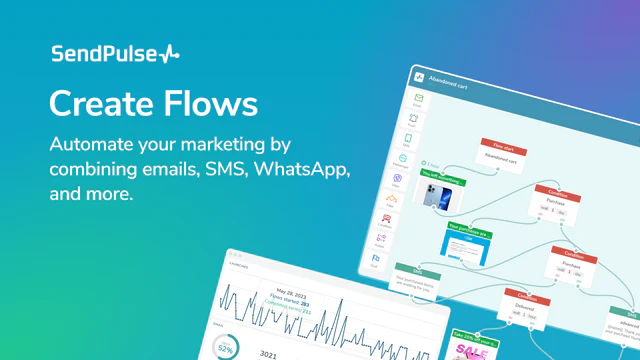
At its core, SendPulse is more than just an email marketing tool. It is an all-in-one marketing automation platform that integrates various channels, including email, SMS, web push notifications, and chatbots management.
The Free plan is perfect for those just starting their journey into digital marketing. It provides access to essential SendPulse features, allowing individuals and small teams to explore email automation without any upfront cost. This tier supports up to 500 subscribers and lets you send up to 15,000 emails per month. You get 100 MB of image storage, 3 sender email addresses, and support for 1 custom domain.
GetResponse
According to their website, GetResponse is used by 350,000+ companies in 183 countries. I think it’s the most well-rounded email marketing tool for small and medium-sized businesses.
While GetResponse is best known for their email marketing solution, they offer way more. A GetResponse account gives you access to 1) email marketing, 2) marketing automation, 3) landing pages, and 4) webinars.
Using as a ballpark estimate 2500 contacts for a small business, the GetResponse price is fairly reasonable at only $25 per month. This price appears even better when you take into account that – unlike many other email marketing services – GetResponse doesn’t currently impose limits on sending emails.
Constant Contact
Constant Contact is designed to allow extremely simple operation with mobile-optimized templates and simple WYSIWYG “drag-and-drop” editors that make creating and using sign-up forms, collecting emails and other contact information, managing email lists, starting campaigns, and analyzing real-time data as simple as easy to use as possible.
Small and startup businesses will find Constant Contact to be a cost-effective solution because of its flexible pricing scheme. The rates are based on the number of user’s email contacts starting at $20 per month.
> Try Constant Contact for Free
MailerLite
With MailerLite’s feature-set, you can:
- Design emails, send email campaigns, and grow your audience
- Build websites and create blogs with just a few clicks
- Generate leads using signup forms, landing pages, and email verifier
- Sell digital products and integrate your ecommerce store
If you want a marketing tool that aims to grow your audience and drive revenue, then MailerLite is the good fit for you.
MooSend
So Moosend is much more than just an email marketing tool.
As described on their front page:
Moosend is the all-in-one platform your business deserves.
This software also comes with quite a few fancy features such as:
- Email marketing
- Automation
- Personalization
- Lead generation
- Analytics
Now comes the most important question: Is Moosend value-for-money?
The short version, yes.
Moosend offers a free forever plan you can use to send unlimited emails per month for up to 1,000 subscribers.
When it comes to Moosend’s paid options, the Pro plan starts as low as $10 per month, giving you access to additional features such as landing pages, transactional emails, and more.
MailBird
MailBird boasts an incredible set of features, including support for multiple email accounts, excellent organizational tools and complete customization options. Mailbird even offers a set of apps that work within the email client itself, including integration with Dropbox, Evernote, Google Docs and more. This truly is email for power users who need to whip their inbox into shape. It may take a little time to get it working just the way you want, but it’s well worth it.