Category Archives: Security Software

Malwarebytes Review – Free or Paid

Businesses looking to keep their computers safe from ransomware, threats and infected sites should get Malwarebytes. It’s a recognized name in anti-malware solutions whose latest version can perform comprehensive scans even when computers are not in use.

Malware compromises your privacy, monitor your activities and report to the advertisers. Malwarebytes also wipes out serious issues such as ransomware. It cannot replace your antivirus software, but it is an excellent addition to your online security source.

Malwarebytes is one of the biggest anti-malware software with a history, of about nine years. In the year 2008, the first version of Malwarebytes was launched by Marcin Kleczynski and Bruce Harrison.

Main Features

  • Cleans infected devices
  • Shields vulnerable systems
  • Warning tools
  • Centralized threat reporting
  • Prevention tools
  • Stops ransomware attacks
  • Unifies multiple Malwarebytes
  • Centralized management
  • Flexible push-install options
  • Discovers all networked endpoints
  • Performs deployments quickly
  • Asset management to deploy solutions, track, manage, and monitor endpoints

Free Version

It is available both as a free and as a paid product and offers reasonable subscription plans for the regular users. Over 15 years of experience in the field, the team behind Malwarebytes has been perfecting the original “formula” with each new update. our experts strongly recommend installing the free edition to help your main antivirus software deal with all the latest threats. Malwarebytes always targets brand-new threats that even the strongest antiviruses like Kaspersky might fail at detecting.

The Malwarebytes Free download procedure is straightforward, and you’ll be done with installation in a matter of minutes.

Just go to the official website and hit the big green button that says “Free Download” – that’s pretty much it! The system will automatically start downloading the installation file to your drive. What you should do next is start the launcher, follow its instructions, and wait until the software is installed.

Paid Version

Malwarebytes does something rather unusual among antivirus companies. It gives you a free 14-day trial period of its single-device Premium package with all its features. That gives you a chance to explore and test its functionality without spending anything upfront.

Malwarebytes has a real-time protection feature that effectively blocks malware, ransomware, exploits, and even malicious websites.

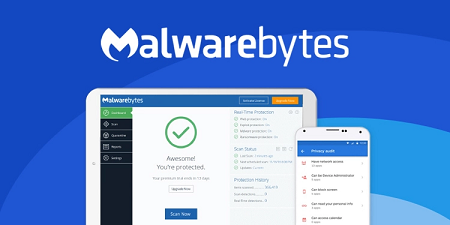
After a successful installation of the program, you can easily check the real-time protection on the dashboard.

Malwarebytes’ real-time protection is more effective with all the layers of protection turned on. If turned off, it’s highly recommended that you turn them on as soon as possible for full, real-time protection.

Additionally, Malwarebytes also detects and catches non-malware code like Potentially Unwanted Programs (PUPs). Although PUPs are not exactly harmful to your computer, they may significantly reduce the performance of your device or even inject malicious code into your device.

An additional benefit of the premium version is that it’s perfectly capable of “Scanning your computer up to 4 times faster.”

Conclusion

In our observations, we have found that many people do not want to spend heavily on top Antivirus solutions. Rather they stick to less reliable solutions while making numerous security compromises. It can, in reality, turn out to be a costlier decision.

Consider your devices as a vault where all your personal and sensitive data remains. Since that vault is in an unsafe environment, you have to appoint the right security solution to guard the same.

>>  Click Here to Download Malwarebytes from the Official Website
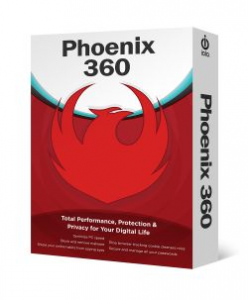
iolo Phoenix 360

Introducing iolo lastest product the Phoenix 360 that includes 7 products all in one easy to navigate programs. The new iolo Phoenix 360, is the most comprehensive performance, protection, and privacy package to help safeguard, speed up and simplify your digital life.

Features include:

  • Optimize PC speed
  • Shield your online habits from spying eyes
  • Stop browser tracking cookie cleaners miss
  • Block and remove malware
  • Enhance identity theft protection
  • Secure and manage all your passwords

Phoenix 360 Review at a glance

Now, you can enjoy end-to-end service for your computer all in one easy-to-use program-from securely creating and remembering passwords for you, to blocking and removing dangerous malware threats; from protecting your online activity, to boosting your PC with faster online and computing speeds. Thousands of people have already made the switch to Phoenix 360 and are enjoying increased security, effortless password management, enhanced identity theft protection, anonymous online activity, and so much more.

Phoenix 360 is 7 products in 1: award-winning System Mechanic, Privacy Guardian, ByePass, Malware Killer (coming soon!), System Shield, DriveScrubber, and Search and Recover, all expertly combined to make protection and home care for your PC as equally simple as it is powerful.

Why Should I Need Phoenix 360?

As the modern technology is advancing, so are its enemies. The number of security and performance vulnerabilities has been increasing day by day. Hacking, spam, pop-up ads, bloatware, all these things are improving with time. The epic data breach affecting 145 million US consumers has forced the Equifax CEO to resign recently. All the big social media sites including Facebook, Yahoo, LinkedIn, etc. now claim that they are unable to protect the privacy of the personal data of the users. During this time, iolo technologies offers best-selling PC optimization software System Mechanic® that keeps you safe from all kinds of threats present online.

There are so many ways by which Phoenix 360 iolo keep you protected online. It comes with ByePass that secures your life and gives you peace of mind. ByePass is a platform agnostic that not only protects your password and keeps you safe while you shop online. It prevents anyone to steal the information of your credited card and prohibits its encryption.

Malware is the threat to your PC that simple antivirus programs are unable to detect. Phoenix 360 features Malware Killer that has the ability to find and destroy existing malware in your computer plus it protects from the future threats.

Privacy Guardian online privacy protection is another cool reason that why you need Phoenix 360. It prevents browser fingerprinting scripts and provides you privacy with safe browsing. Not only that but it protects against identity theft, targeted ads, privacy invasion and fraud.

>> Click Here to Visit iolo Phoenix 360 Official Website <<

HMA Pro VPN Key Features

hma pro vpnHide My Ass Virtual Private Network or HMA VPN is an internet activity encryption service. Simply put, it hides, among others, your internet activity, location, IP address, physical device identification, etc. It also allows you to unblock certain websites, go thru firewalls, surf anonymously, etc.

This article will provide the reader with the key features of HMA Pro VPN. These features will be explained, and examples maybe given if needed. Insights from the author will also be given freely, whenever appropriate.

VPN HMA Facts

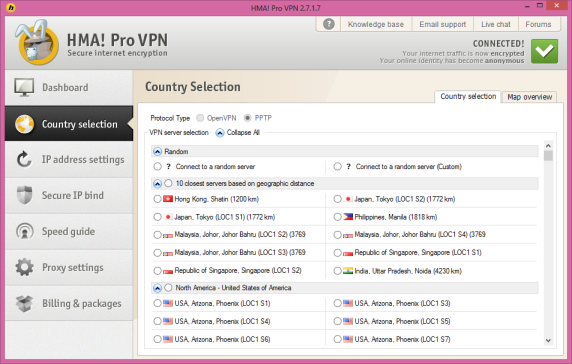
HMA boasts of 343 servers that is scattered around 53 countries. This equals to roughly 40,500 IP addresses. More than half of these servers, or around 176 is located in the United States. That translates to 22,257 US based IP addresses.

VPN Server Locations

By using HMA’s services to change your location, you can hide yourself from prying eyes. But if you are not into the spy, cloak and dagger thing, then a more practical application would be to utilize HMA to fool a website as to your actual location. Say, you live in the UK but you want to fool the website into thinking you live in the United States.

For example, you want to watch a movie or a television program. You go to the website, click on the video stream, and you get a message that says “This service is not applicable in your location”, or “This service can only be availed of within the United States”. With a few clicks of the mouse you can change locations and continue watching your video stream.

Change Your IP and ID

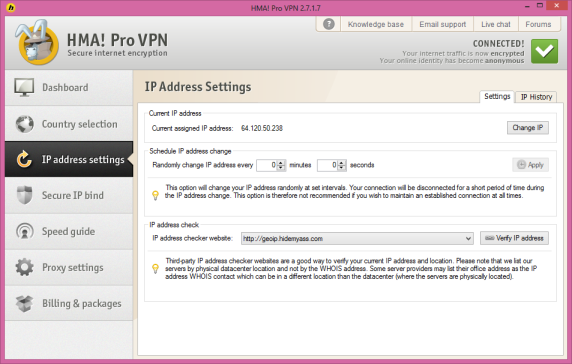
Without going into much detail, when you browse the internet or when you post something on the web, you can be detected and traced to your actual physical location and even subscriber name. This can be done by any internet savvy individual via reverse tracking.

If you have a paid subscription to an internet service, they can even get the information and find out your personal details. In some cases reverse trackers also use the unique identification number of your device i.e. laptop, tab, smart phone, etc. Now if you paid credit for the device using your credit card, or left personal information which the seller stored electronically, it can also be extracted.

You might say, there are freeware that cloak your IP. The problem is, a cloak can easily be overridden. On the other hand a proxy IP can seem real, so the tracker is left none the wiser as to your personal details.

Hide Your Browsing History

Let’s be honest here most netizens go to websites they would rather have no one else know about. Yes, I am talking about porn! And no, it is not limited to the same.

If you share your CPU capable device with another, or you browse these websites in your office, they can be able to trace your internet browsing history, EVEN if you erase the browsing history. HMA VPN allows you to hide your browsing history. This not only prevents others from seeing your browsing history, but can even go thru firewalls that your office might have set up.

How’s the Speed?

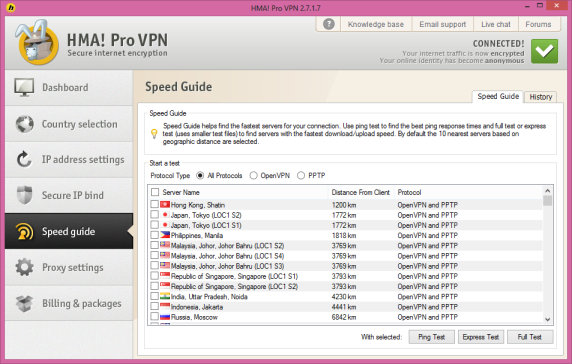
One of the main concerns when browsing using a VPN is the internet speed. Simply put, if you go thru a Virtual Private Network, your browsing speed usually goes down. HMA VPN does not guarantee that there will be no drop in internet speed.

This is because the answer will depend on several factors outside the control of HMA VPN. What it does promise are these:

  • HMA VPN employs OpenVPN. This is much safer and faster than PPTP
  • HMA VPN utilizes OpenVPN over UDP. This significantly increases the speed of the former.
  • HMA VPN allows you to customize your DNS server. This allows you to tweak your browsing speed to a certain extent. At the very least, this can be faster than your default DNS (supplied by your ISP).
  • Professional customer support that will guide you via chat or email in configuring the same.

VPN Compatibility

HMA VPN is compatible with most protocols. This includes but is not limited to: OpenVPN, L2TP, and PPTP. HMA VPN servers are grouped to allow you to choose compatible servers faster.

There are also useful information regarding compatibility issues and quick fixes. For example, if you are using a smart phone like an iphone and are experiencing difficulties connecting then you should try changing to IPSEC, L2TP, or PPTP

Customer Support

Netizens want to know the answers to their questions now, not later. HMA VPN employs a sufficient number of customer support personnel who are extremely well trained.

There is a 12 hour live chat service and an email support service. There is also a HMA forum. This way you can actually interact with other members and get your answers there.

>> Click Here For The Best Deal Discounted Package and a 30 Days Money Back Guarantee